Complete Printer Maintenance Guide
Last Updated: September 23, 2026
⚠️ Educational Notice: This guide provides independent printer maintenance instructions. Always consult your printer's manual for specific maintenance procedures. This content is for informational purposes only.
Introduction
Regular printer maintenance is essential for keeping your device running smoothly, extending its lifespan, and ensuring high-quality prints. Neglecting maintenance can lead to paper jams, poor print quality, and costly repairs. This comprehensive guide will show you how to properly maintain your printer.
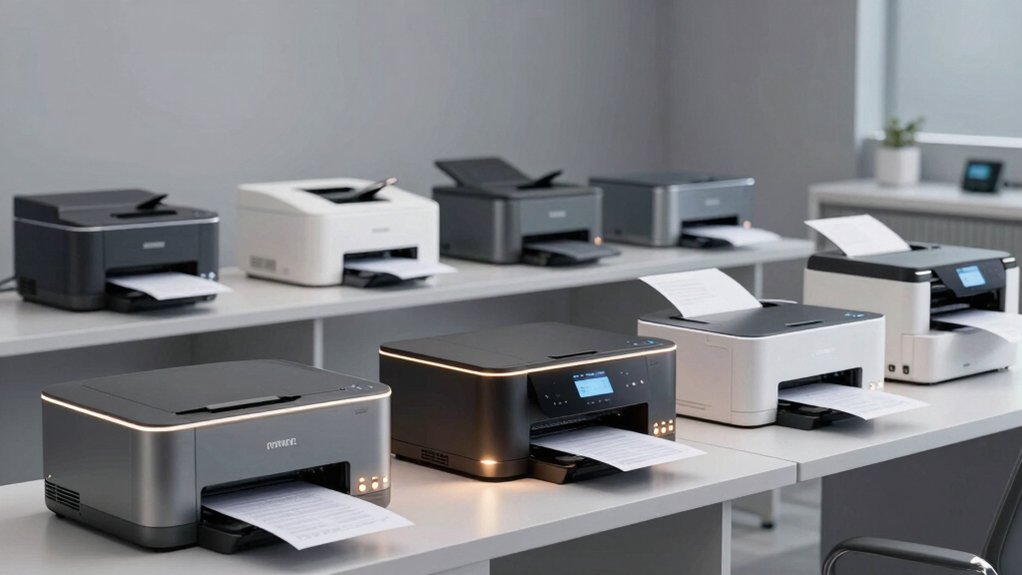
Professional printer maintenance for optimal performance and longevity
Why Printer Maintenance Matters
- Extends Lifespan: Regular maintenance can add years to your printer's life
- Improves Print Quality: Clean printers produce better quality prints
- Prevents Problems: Regular maintenance prevents costly repairs
- Reduces Downtime: Well-maintained printers have fewer breakdowns
- Saves Money: Preventive maintenance is cheaper than repairs
- Ensures Reliability: Consistent performance when you need it
Daily Maintenance Tasks
Check Paper and Ink/Toner Levels
- Check paper tray daily before printing
- Ensure paper is not wrinkled or damaged
- Monitor ink/toner levels
- Keep replacement supplies on hand
- Use quality paper for best results
Clear Paper Jams Promptly
- Turn off the printer immediately
- Open all access panels
- Gently remove jammed paper
- Check for torn paper pieces
- Close panels and restart
Weekly Maintenance Tasks
Clean the Exterior
- Use a soft, dry cloth
- Wipe down the printer exterior
- Clean the paper tray
- Remove dust from vents
- Never use liquids on the exterior
Check Print Quality
- Print a test page
- Look for streaks or fading
- Check color accuracy
- Note any quality issues
- Address problems immediately
Monthly Maintenance Tasks
Clean the Print Head
- Access printer settings menu
- Select "Clean Print Head" option
- Follow on-screen instructions
- Print test page after cleaning
- Repeat if quality doesn't improve
Update Drivers and Firmware
- Visit manufacturer's website
- Check for driver updates
- Check for firmware updates
- Download latest versions
- Install updates following instructions
Quarterly Maintenance Tasks
Deep Clean the Printer
- Turn off and unplug the printer
- Remove paper tray and clean thoroughly
- Use compressed air to clean internal areas
- Clean rollers with appropriate cleaner
- Reassemble and test
Inspect for Wear and Damage
- Check for visible damage
- Look for loose parts
- Inspect cables and connections
- Check for unusual noises
- Note any issues for repair
Annual Maintenance Tasks
Professional Service
- Schedule professional maintenance
- Have technician inspect all components
- Replace worn parts proactively
- Perform comprehensive cleaning
- Update all software and firmware
Printer Maintenance Best Practices
- Use Quality Supplies: Use genuine ink/toner and quality paper
- Proper Storage: Keep printer in clean, dry environment
- Avoid Overheating: Ensure proper ventilation around printer
- Regular Use: Use printer regularly to prevent ink from drying
- Follow Manual: Always consult manufacturer's manual
- Keep Records: Track maintenance and repairs
- Preventive Care: Address small issues before they become big problems
Common Maintenance Issues and Solutions
| Issue | Cause | Solution |
|---|---|---|
| Faded Prints | Low ink/toner | Replace cartridge |
| Streaky Prints | Dirty print head | Clean print head |
| Paper Jams | Debris or damaged paper | Clear jam, use quality paper |
| Slow Printing | Outdated drivers | Update drivers |
Conclusion
Regular printer maintenance is a small investment that pays big dividends in reliability, print quality, and longevity. By following this maintenance guide and staying proactive about caring for your printer, you can avoid costly repairs and keep your device running smoothly for years to come.
📞 Need Professional Help? If you're experiencing printer issues or need professional maintenance, our team can help. Contact us today for printer support and maintenance services.
⚖️ Disclaimer: This guide is provided for educational purposes. Printer maintenance procedures vary by model and manufacturer. Always consult your printer's manual for specific instructions. Improper maintenance may void your warranty. For professional service, contact your printer manufacturer or a qualified technician.